 RightFont
Help center
A place for every typeface.
Libraries for the big picture, sets and tags for the work in front of you, and Smart Sets that keep themselves up to date.
Give each library a purpose
A personal archive, a client’s approved typefaces and a shared studio library serve different needs. Keep them separate when ownership or day-to-day use differs.
A folder used in place keeps its structure; a library package keeps everything in one file you can back up or share.
Sets for projects, tags for qualities
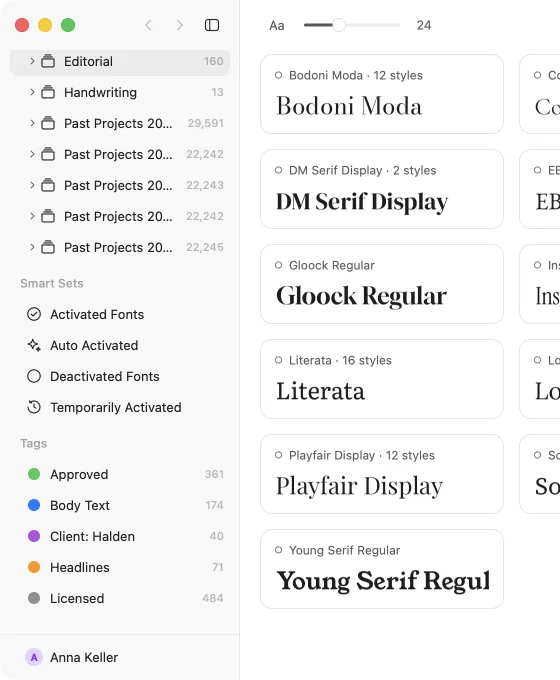
Use sets for a project, a publication or a shortlist, and tags for reusable labels such as editorial, geometric or approved. A font can be in any number of sets and have any number of tags.
| New Set… | ⇧⌘N |
|---|
Smart Sets
Save a filter — variable serifs that support Polish, say — as a Smart Set. It updates itself as fonts come and go.
| New Smart Set… | ⌥⌘F |
|---|
Categories and classification
Browse by category, from Oldstyle and Didone to Stencil and Pixel. Fonts that arrive without a category can be classified automatically.
In the list, group fonts by writing system, category, foundry or date added; ⌥↑ and ⌥↓ jump between groups.
Keep the library healthy
Open Insights now and then. Duplicates groups each font’s copies and says how they differ; Select picks the extra ones by rules you set, and Move to Trash removes them. Conflicts lists the fonts that are active from more than one file.
Keep the license documents your foundries supply next to their fonts.
Write to support@rightfontapp.com. Someone on the RightFont team reads every message.