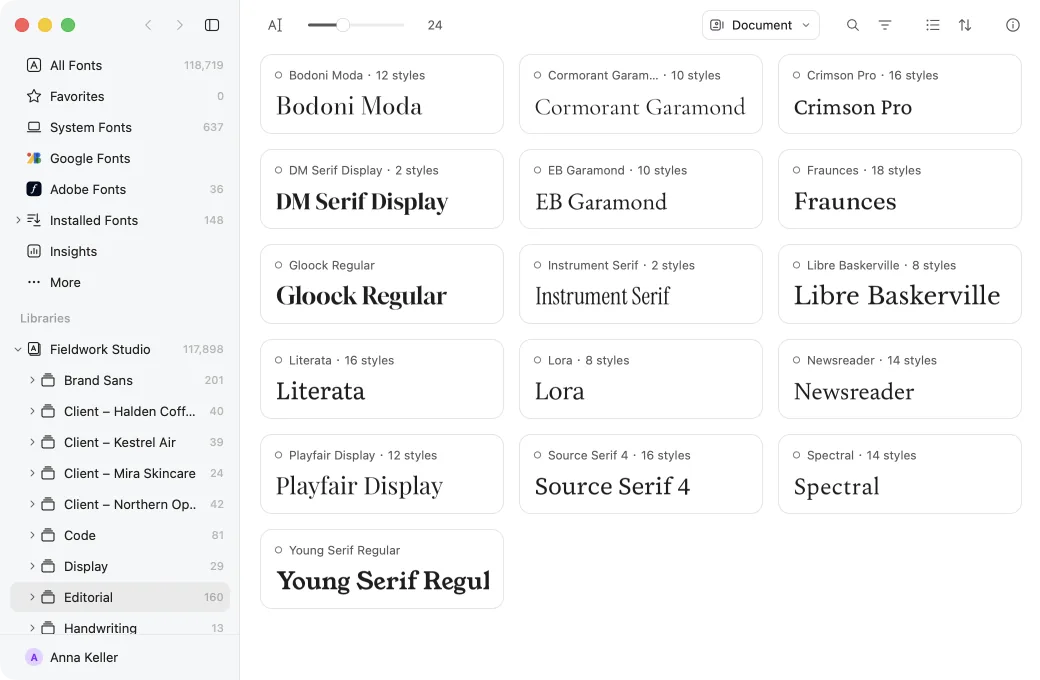
We’ve been making RightFont since 2015, for designers who work with fonts every day.
What it is
RightFont keeps every font you own in one library and lets you preview them in your own words and designs. Fonts switch on only when an app needs them.
It is a native Mac app with no web wrapper, and it stays quick with 200,000 fonts.
How it grew
RightFont started in 2015 as a small, fast Mac app for one job: finding the right font among the hundreds a designer owns. Ten versions later it does much more, and that job still comes first.
2015
RightFont beginsFirst release
A native Mac app to organize, preview and activate fonts, quick from the first launch.
2023
RightFont 8
Filters by category, font properties and language, and a redesign around the standard macOS toolbar.
2024
RightFont 9Major update
Unified Search, a new List View, and Tags and Smart Tags: the biggest update since the first version.
2026
RightFont 10
Font folders used in place, nested tags, and the look of macOS 26.
2026
RightFont 2026.1New
Preview in Your Design, libraries shared through the folders a team already uses, and the app in 16 languages.
Who uses it
Independent designers, studios, in-house brand teams and design schools use RightFont, including teams of several hundred people. Their libraries stay in their own folders, on their Macs or on the drives they already share.
Rebuilt from the ground up
After RightFont 10 we rewrote the app, and releases are now named for the year they ship, starting with 2026.1. Libraries from earlier versions open with their sets, tags, stars and notes.
 RightFont